Workflow Benchmark Note: Same Small Scene, Two Pipelines — Which One Saves More Time?
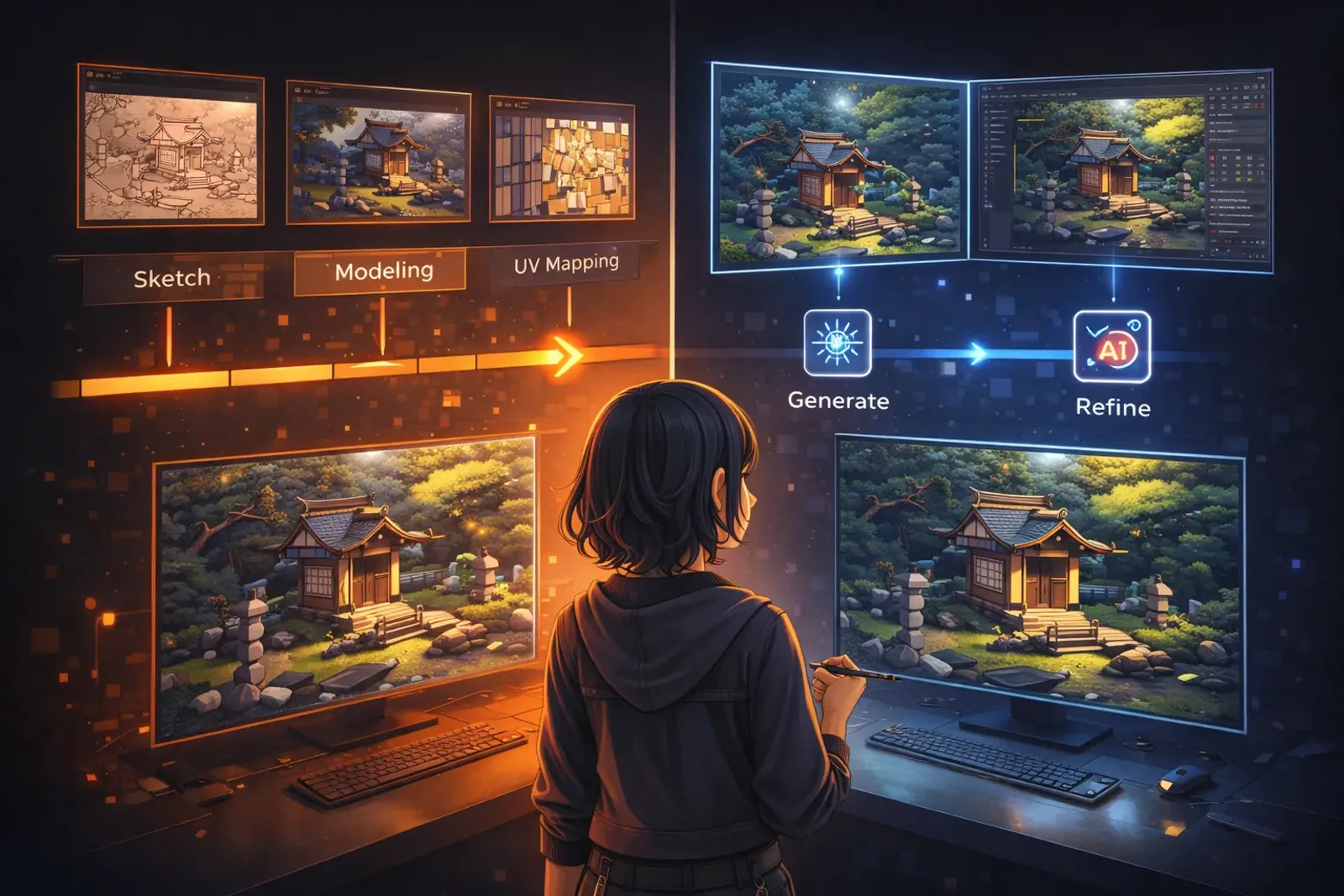
Workflow Benchmark Note: Same Small Scene, Two Pipelines — Which One Saves More Time?
This is a practical benchmark note. I built the same small interior scene twice:
- Pipeline A: fully manual Blender workflow
- Pipeline B: generative AI draft + Blender cleanup/convergence
The goal is not maximum visual fidelity. The goal is to compare which pipeline is faster and still reliably deliverable in a realistic creator schedule.
Test setup
To keep the comparison fair, I fixed these conditions:
- Scene type: a small coffee-corner interior (table, chairs, wall, light, props)
- Output target: one portfolio-level hero view + two support views
- Style target: warm, slightly handcrafted, not ultra-realistic
- Validation criteria: complete composition, coherent material language, readable lighting, export-ready output
Pipeline A: fully manual Blender workflow
Steps
- Reference gathering and composition sketch
- Blockout for scale and layout
- Main modeling and detail pass
- UV and material setup
- Lighting, post-processing, and export
Time log (single pass)
- Early composition + blockout: 1.5h
- Modeling + scene detailing: 3.0h
- UV/material: 2.0h
- Lighting/post/export: 1.5h
Total: ~8.0h
Observations
- Strengths: highest style consistency and control
- Weaknesses: modeling/material phases are time-heavy and easy to over-polish
Pipeline B: generative AI draft + Blender convergence
Steps
- Generate visual direction and object drafts with AI
- Select usable elements and build Blender blockout
- Rebuild/clean drafts (topology, scale, material slots)
- Unify material language and lighting
- Export and final micro-adjustments
Time log (single pass)
- Draft generation + selection: 1.0h
- Blockout + rebuild: 2.0h
- Cleanup + material convergence: 2.0h
- Lighting/post/export: 1.2h
Total: ~6.2h
Observations
- Strengths: much faster in direction exploration and early decision speed
- Weaknesses: cleanup cost rises when draft quality is unstable; style drift risk is real without standards
Direct comparison
- Total time: Pipeline B is about 22%–25% faster than Pipeline A
- Quality stability: Pipeline A is steadier; Pipeline B depends on convergence discipline
- Cognitive load: Pipeline A requires long focus cycles; Pipeline B requires repeated judgment and filtering
- Rework source: Pipeline A reworks details; Pipeline B reworks draft cleanup
So yes, Pipeline B is faster, but only if you have a repeatable Blender convergence rule set.
Which pipeline should you choose?
Choose Pipeline A (manual)
- Hero assets demand strict consistency
- Project is already mid/late phase and process switching is risky
- You already have a stable personal production rhythm
Choose Pipeline B (AI + Blender)
- You need fast early-stage style exploration
- Scene scope is mostly low/mid-risk assets
- You are willing to invest in process standards rather than rebuilding everything manually
My final strategy: a hybrid workflow
After this benchmark, I prefer a hybrid model:
- Use AI to explore 3–5 direction options early
- Lock direction, then converge in Blender
- Build hero assets manually; semi-automate secondary assets
- Finish with one consistent material + lighting rule set
This keeps creative control while reducing early trial-and-error cost.
A reusable 7-point preflight checklist
Before running Pipeline B, I check:
- Is style vocabulary explicit (temperature, material, mood)?
- Are drafts used for direction, not direct final delivery?
- Is Blender naming/material policy predefined?
- Are hero assets excluded from full automation?
- Is lighting validated against one consistent baseline?
- Is there a time cap to avoid endless polish loops?
- Is there a final visual consistency sweep before export?
Conclusion
For this small-scene benchmark, AI + Blender is clearly faster, but the time savings come from early exploration speed, not from removing final quality accountability.
If you want faster output without losing visual control, the most practical answer is not choosing one pipeline over the other. It is building a repeatable hybrid pipeline.